
Spending Too Much Time Tracking Time?

Fix That With Senomix Timesheet Software
Your Easy Online Timesheet
Senomix solves accurate time tracking.
How easy is it?
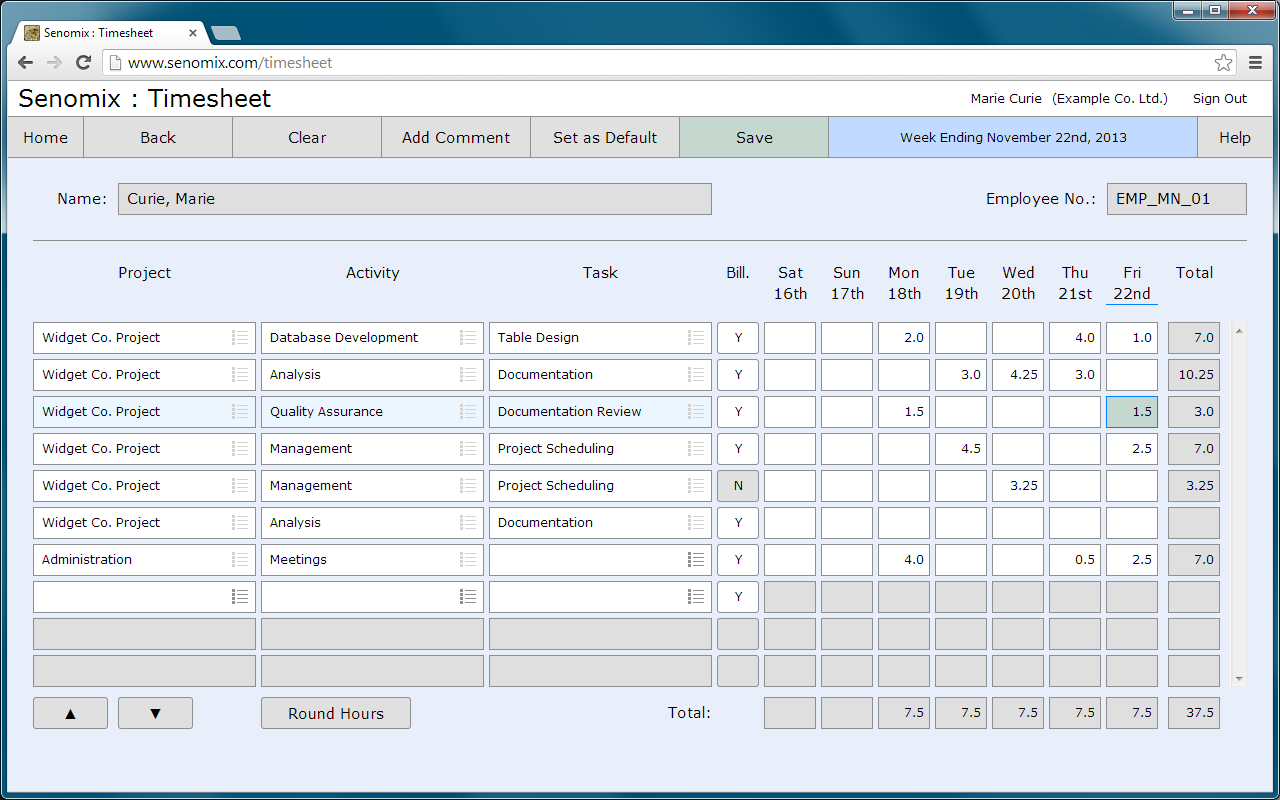
Select a project.
Enter hours.
Click 'Save'.
You're done!
Staff can track time hourly, daily, or even once every week.
Track Time Without Taking Time
Save a preferred timesheet layout with a single click.
Retrieve past entries for reference.
Fetch printable timesheet and comment reports for project status meetings.

Comments can be added to every tracked hour.
Staff time sheets can brief you on status.
Employees can track any detail they would find helpful to share.
We have been using Senomix Timesheets for over three years now and it is one of the best software packages I have ever worked with.
J. Pyra
PMCS Inc.
Nova Scotia, Canada
PMCS Inc.
Nova Scotia, Canada
Senomix Software Inc.
86 Gerrard St East, Suite 16B
Toronto, Ontario
Canada, M5B 2J1
(416) 803-9705



86 Gerrard St East, Suite 16B
Toronto, Ontario
Canada, M5B 2J1
(416) 803-9705
Site Links:
Online Timesheet
>Timesheet Software


Simplify Office Admin
Track Time and Expenses
Intuit and QuickBooks are registered trademarks of Intuit Inc. Used with permission.
Member of the Intuit Developer Program.