
Stop Shuffling Spreadsheets
Time and expense tracking doesn't end with an emailed time sheet or expense claim.
Days of time are wasted each month by entering and re-entering numbers.
But you can automate project reports.
Senomix's easy online time tracking calculates your billing and employee work progress in seconds.

Start Easy Employee Time Tracking
Senomix solves your admin management.
You can simplify work with fast time entry
and clear project reports.
Apps are ready for Windows and Mac computers
and your mobile devices.
Employee effort can give you answers.
Senomix lets you track project progress
and review billing hours with a few button clicks.


Visualize staff effort with interactive pie charts.
Examine work history with time series review.
Your staff data is ready to assist work analysis
and project planning.
We would struggle to operate without it now.
Schwartz LLC
Barnsley, United Kingdom
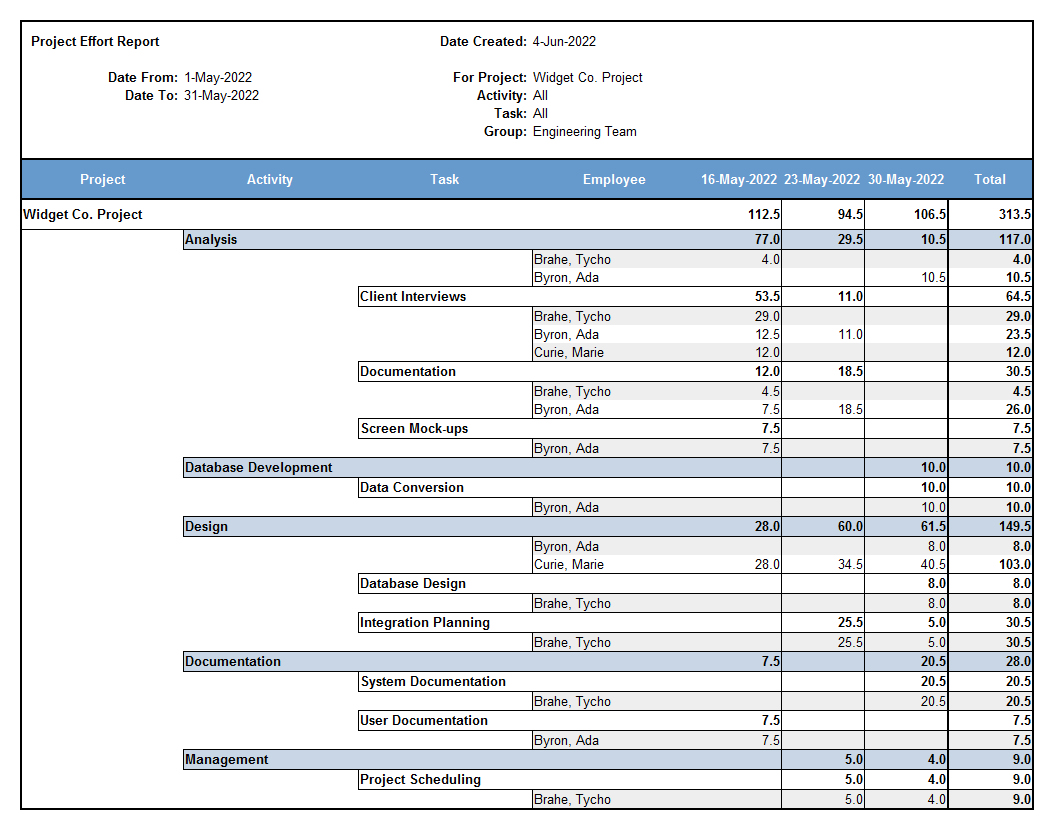
Get an instant overview of office activity
with employee effort reports.
Replace time-consuming status meetings
with team and task work snapshots.
See what staff have been doing today
and stay on top of your management week.
Validate work estimates and avoid schedule crunches
with direct progress reports.
Compare estimated numbers with recorded reality.
Fix delays before they become issues.

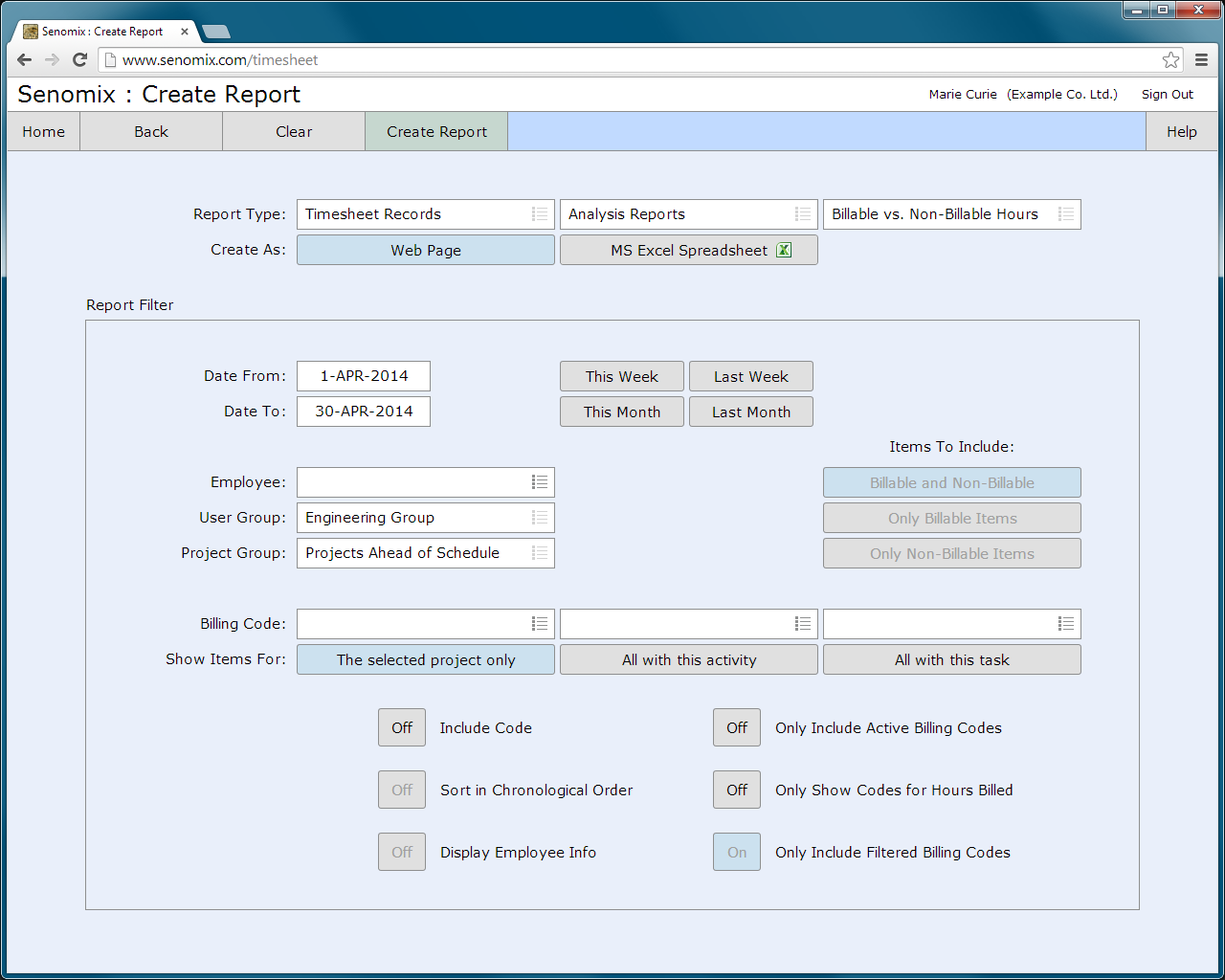
Review reports direct in Microsoft Excel
and crunch numbers with your office tools.
Slice and dice data with defined project groups.
Segment work by staff teams.
Compare effort across company tasks
and identify approaching delays.
Polyhistor International, Inc.
Florida, United States
Discover issues of concern as they happen,
rather than at the next status meeting.
Get briefed direct through employee timesheets
using entered summary text.
Stay up-to-date with staff activity
without interrupting billable work.


Your managers can review employee work
without needing full system access.
Staff can use personal reports to help calculate work estimates, or just review vacation days taken.
Working fixed price?
Use Senomix reports to confirm a profitable track.
Billing for time and materials?
Check hours to see where staff effort goes.


Senomix gives you employee expense claims
with the simplicity of timesheets.
Compare billable and non-billable items.
Track project costs and avoid surprises.
Time and expense tracking apps are available for Windows, Mac OS X, and your mobile devices.
Record employee work, wherever that work happens.

Senomix works with your accounting systems.
Connect direct to QuickBooks for effortless client billing.
Connect your Xero accounts and streamline time tracking.


Senomix automates your MYOB time billing.
Connect direct to MYOB AccountRight
and save hours on office admin.
Connect your Odoo projects and ease time collection.

Whether your business prefers traditional HH:MM recording
or needs the precision of decimal hours timesheets,
Senomix tracks time with your work preference.
Connect secure without an email and password
through your corporate SSO authentication dashboard.
Ready for Your Identity Provider
Sign in using OneLogin, PingIdentity, Auth0 / Okta, Google Workspace,
Microsoft Azure Active Directory (Sharepoint Azure AD / Microsoft Entra ID)
and other SAML 2.0 authentication platforms.
time tracking software.
Availability to add comments to tasks makes it easier to track
what has been done, and when.
Product Development Engineer
Airlines/Aviation
(10,001+ employees)
which you did outside contracted hours.
I think that it is reasonably easy to use.
Have been using it for a while now and
it is second nature now.
Systems Trainer
Medical Clinic
(10,001+ employees)
my time and how to make the most of
my work week.
It ensures that my time spent working on tasks matches my time in the office.
Research Coordinator
Research Hospital
(10,001+ employees)
save daily customer's time
Joe D.
Application Support Technical Lead
Computer Software
(201-500 employees)
and has good flexibility.
Leah B.
Coordinator
Research Clinic
(10,001+ employees)
I am able to log per job and per task.
Associate
Architecture & Planning
(1-10 employees)
that you can utilize, and
the fact that you can automatically
track time spent on an item.
Senomix is beneficial
in tracking my time.
Clinical Research Coordinator
Medical Laboratory
(10,001+ employees)
Very beginner friendly.
Time gets calculated automatically.
Easy to submit the timesheet.
Research Nurse
Research Clinic
(10,001+ employees)
Product is easy to use
and great value for money.
This does exactly what is needed
from myself and my colleagues.
Service Desk Engineer
Hospital & Health Care
(51-200 employees)
Clinical Project Manager
Hospital & Health Care
(10,001+ employees)
Didn't find any difficulty in using it.
Research Coordinator
Research Clinic